
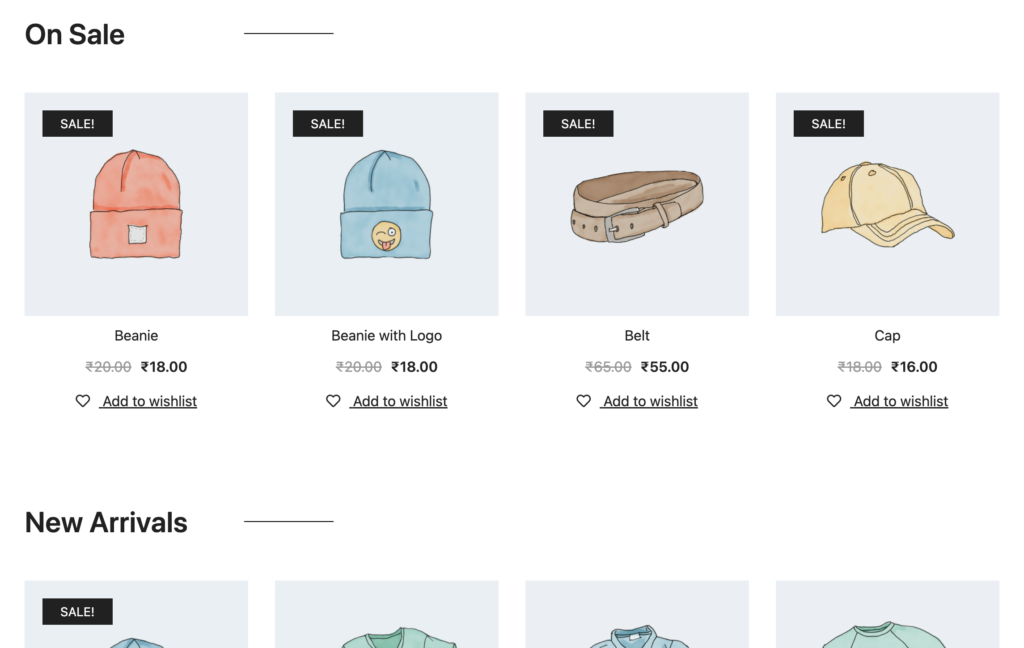
In this article we will show you how to display products on your home page based on best sellers, categories, new arrivals, on sale, et cetera.
Using this method you will be able to display your products beautifully without the need of any additional paid tools like Elementor Pro.
Step 1: Edit your front page with Elementor
Step 2: Drag the shortcode widget in the section you want the products to be displayed in
Step 3: Copy paste the shortcodes below in the shortcode widget on your home page
Available Shortcodes
New Arrivals or Recently Added
-

Product Gallery and Image Zoom
$59.99
Enhance your product images, the key features of your product page
-
Tab Manager
$79.99
It lets you appraise the default product pages and their contents, allowing you to hugely customize following your needs. Manufacturer’s details, a specifying gallery, video…
-
Delivery Date
$99.99
Let your customers buy right now: you can’t be sure they still will in the future!
-
Questions and Answers
$69.99
Answer to your customers’ doubts and persuade them to purchase once and for all.
On Sale
Featured Products
Best Selling
-
YITH Store Affiliates
$99.99
Enable an effective affiliate program to earn visibility and loyalize new customers on your shop.
-

Bought Together
$29.00
The Bought Together feature drives customers to add more items to their cart means more sales for you and increase in revenue.
-

CartFlows Pro
$199.00
While the free version of Cartlflows is a great product, the pro version offer more features such as order bumps, one click upsell & down…
-

Wholesale Suite
$0.00
#1 WooCommerce wholesale plugin for adding wholesale prices & managing B2B customers. Trusted by 25k+ store owners with 400+ reviews.
Category Wise